Overview
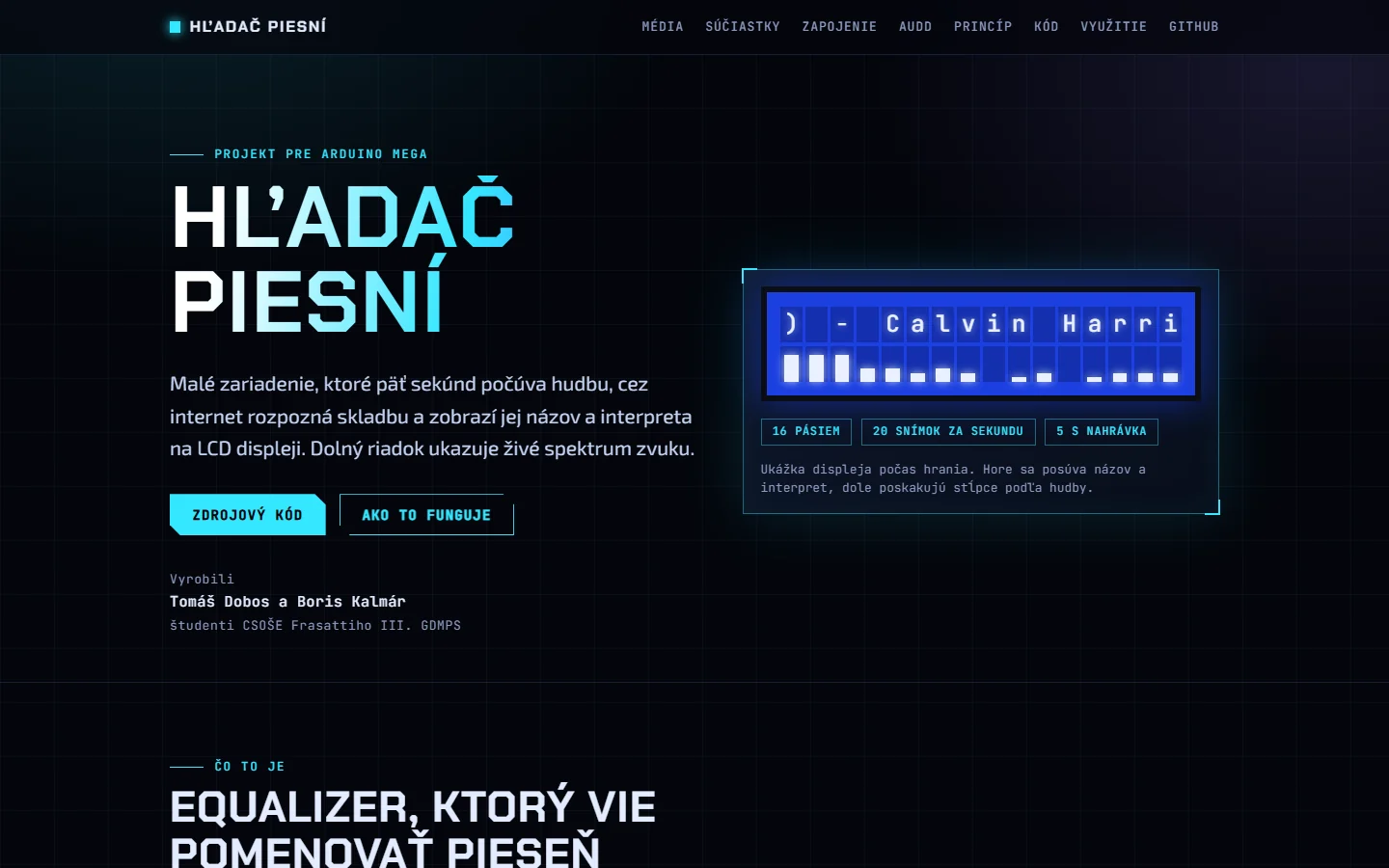
The device has an Arduino Mega, a sound sensor, a 16×2 LCD and a button. You hold a speaker close to the sensor and press the button. The Mega records five seconds of audio and streams it to a PC over USB, the PC sends it to the AudD music-recognition service, and the answer goes back to the display. While all of that happens, the bottom row of the LCD acts as an equaliser that bounces to the music.
┌────────────────┐
│One Kiss (Extend│  ← title and artist, long text scrolls
│▇█▆▅▆▄▃▄▂▃▂▂▁▁  │  ← spectrum, 16 columns = 16 frequency bands
└────────────────┘
It is a school project at CSOŠE Frassatiho III. It replaces a larger earlier idea, a 16-step sequencer with an LED matrix and a joystick, which I rebuilt from zero one part at a time and left untouched in an archive folder.
Dividing the work between two devices
An Arduino Mega has no internet. So the job is split:
| Device | Does |
|---|---|
| Arduino Mega | Reads the button, samples the sound sensor, draws on the LCD, computes the spectrum |
| PC (Python) | Receives the recording, cleans it, sends it to AudD, sends the result back to the LCD |
- Press the button (pin 2). The Mega shows "Listening...".
- For five seconds the Mega reads the sensor at 8,000 samples per second, 8 bits each: 40,000 bytes. It sends the header
AUDIO 40000and then the raw samples over USB. - The PC removes the DC offset, boosts the signal to full volume and saves it as
last_capture.wav. - The PC sends the WAV to AudD over HTTPS. The LCD shows "Searching...".
- AudD answers with a title and an artist. The PC sends them to the Mega, which shows them on the top row.
- The whole time, the bottom row shows the spectrum from the same sensor.
Hardware
| Qty | Part | Note |
|---|---|---|
| 1 | Arduino Mega 2560 | Connected by USB to the PC |
| 1 | LCD 16×2 (HD44780) | Parallel connection, no I2C module, 4-bit mode |
| 1 | Sound sensor KS0035 (analogue) | Pins G, V, S, with a trimmer to adjust gain |
| 1 | Push button | Wired diagonally to avoid the paired pins |
| 1 | 10 kΩ potentiometer | LCD contrast |
| 1 | 220 Ω resistor | Backlight |
Pin map
| Mega pin | Use |
|---|---|
| 2 | Button (internal pull-up, no resistor) |
| 9 | LCD backlight (PWM, brightness control) |
| 22 / 23 | LCD RS / E |
| 24, 25, 26, 27 | LCD D4 to D7 |
| A4 | Sound sensor signal |
| 0, 1 | USB serial, not used for anything else |
The backlight draws about 8 mA, which a Mega pin can drive without a transistor, so putting the 220 Ω resistor on pin 9 lets the code dim the display. Contrast comes from the voltage on pin V0. A potentiometer is best; without one, a 4.7 kΩ and a 1 kΩ resistor make a divider that gives about 0.9 V.
The spectrum analyser
The bottom row shows how much energy is in each of 16 frequency bands, bass on the left and treble on the right. About twenty times a second:
- The Mega takes 128 sensor samples at 8 kHz (16 ms) and subtracts the average.
- For each of 16 bands it runs a Goertzel filter, a simplified FFT that computes just one frequency. That is why it fits on a small, slow chip. It is all integer maths with no library, and the bands are spaced logarithmically from 110 Hz to 3,500 Hz.
- It converts each result to an amplitude.
- Automatic gain: the loudest band of the last second defines a full bar, so the bars dance the same way no matter how loud the speaker is.
- Noise gate: a band weaker than a set amplitude is not shown, so the display does not flicker in silence.
- Sensitivity: bar height is 8 × (amplitude ÷ reference) to the power γ. Level 9 is γ = 0.5 (bars stay tall even for weak bands), level 1 is about γ = 2 (only strong peaks show), and level 6 is roughly linear. The
+and-keys on the PC change it live. - A bar rises instantly and falls one step per frame, so it looks smooth.
Each bar is one LCD character with eight possible heights. An HD44780 has room for exactly eight custom characters, and all eight are used by the bars, which is also why accented letters cannot be shown.
The display also gets fully re-initialised every ten seconds. The HD44780 chip can lose sync after electrical noise or a loose wire and stay blocked until it is reinitialised, and this makes the device recover on its own, with at most a brief blink.
The serial protocol
The Mega and the PC talk over USB at 250,000 baud with a small text protocol.
| PC to Mega | Meaning |
|---|---|
L<text> | Show text on the top row (up to 120 characters) |
B<0–255> | Backlight brightness |
S<1–9> | Analyser sensitivity |
D1 / D0 | Debug output on or off |
g | Start recording (same as the button) |
| Mega to PC | Meaning |
|---|---|
BOOT | The Mega just started |
AUDIO 40000 + bytes | A recording: header, then the raw samples |
V a0 … a15 ref ms | A debug line with the 16 amplitudes, the reference and the frame time |
Most of the effort was in the rules that prevent subtle bugs:
- The PC sends an empty line before every command. It ends any half-finished line in the Mega's memory that would otherwise swallow the next command.
- The Mega drops an unfinished line after 500 ms of silence.
- The PC sends long messages in 24-byte pieces with a 50 ms pause, because the Mega's receive buffer is only 64 bytes and is not read while the LCD redraws.
- The PC opens the port with DTR low, so connecting does not reset the Mega.
- The port settings are never changed while a recording is arriving, because on Windows that could drop a byte.
Recognition and its quirks
- Audio is 8 kHz, 8 bits (the top 8 bits of the 10-bit ADC), mono, five seconds. That is telephone quality, but enough for AudD in a quiet room with the speaker a few centimetres away.
- The PC makes a 16-bit WAV and posts it to the AudD API. The reply has a title and an artist. The last recording is always saved so that when recognition fails you can play it and hear what the sensor actually captured.
- Diacritics. The LCD font has no é, š, ť or á, and the custom characters are used by the bars, so the PC strips accents before sending ("Život ide ďalej" becomes "Zivot ide dalej"). Scripts like Japanese or Cyrillic show as question marks.
- Sensor quirk. The KS0035 rests at zero and only swings upwards, so 50 to 90 percent of samples read near zero. That looked like clipping, but it is normal for this sensor.
Problems I hit and how I solved them
| Symptom | Cause | Fix |
|---|---|---|
| Backlight on but no text, top row full of squares | The LCD never initialised | Check E, RS and RW wiring; replace jumper wires; press reset |
| A cluster of random characters | D4 to D7 wires in the wrong order or loose | Flash the included test sketch that tries all 24 wire orders; readable text shows the right one |
| Brightness cannot be changed | The resistor was on 5 V, not pin 9 | Move it to pin 9 |
| Upload fails, port busy | Another program holds the COM port | Close the recogniser and the serial monitor first |
| Commands from the PC sometimes lost | A half-finished line in the Mega's buffer | Leading newline and a timeout |
| "got 39999 of 40000 bytes" | A byte lost during transfer | The script now tolerates up to 2% missing samples |
| One bar always lit at reduced brightness | Possibly PWM backlight noise (about 490 Hz) coupling into the sensor | Run at 100% brightness or move the sensor away from the backlight wires (suspected, not proven) |
Limits and ideas
Limits
- It needs a PC with internet. The Mega cannot recognise songs on its own.
- The sensor is basic, so the sound is distorted and recognition is not always successful.
- Audio is only 8 kHz and 8 bits.
- The LCD shows only ASCII.
- The sensitivity keys work on Windows only. During the five-second recording the Mega does not draw the analyser or scroll text.
- The AudD key used so far is a free trial.
Ideas
- A better microphone such as a MAX4466 or MAX9814, which rests in the middle of its range and swings both ways. Wiring is identical and the code does not change.
- An ESP32 with Wi-Fi that sends the recording to AudD by itself, so no PC is needed.
- Show the rhythm on the 8×8 LED matrix from the earlier project, or beep on success.
- Real accented letters by reducing the bars from eight heights to four.
What I learned
- Efficient signal processing on a tiny chip: why a Goertzel filter beats an FFT when you only need a few frequencies.
- Designing a reliable serial protocol: framing, timeouts, buffer sizes and resets.
- Hardware debugging as a method: change one thing, test it, and write the symptom and cause table so the next person does not repeat it.
- Writing documentation as I go. The project has a full Slovak manual covering wiring, installation, settings, protocol and troubleshooting.